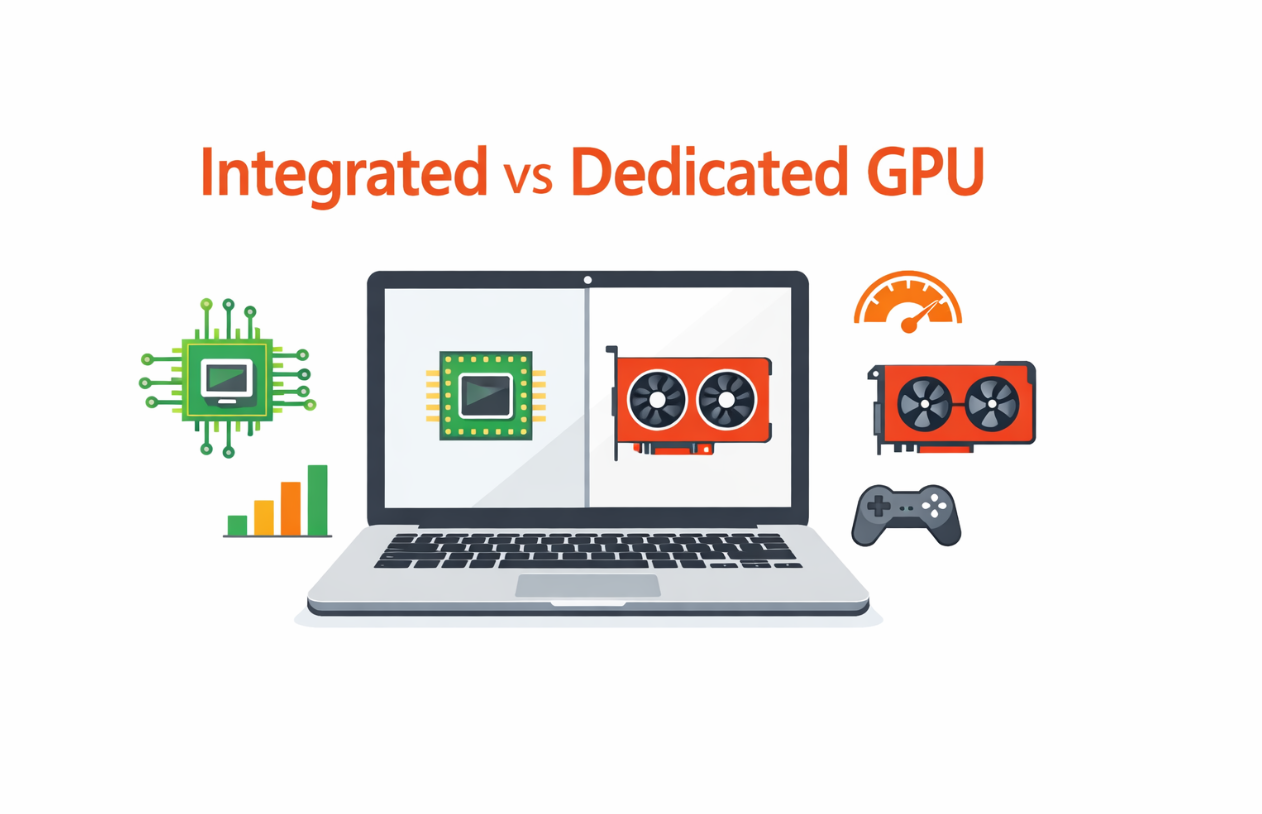
You’re about to buy a new laptop.
You’ve checked the CPU. It looks powerful enough. The RAM seems fine. The SSD is fast. The design is sleek.
Then you hit the line that quietly decides how this machine will feel for the next few years: integrated vs dedicated GPU for laptops.
Most people glance at that and move on. Some assume “dedicated is always better.” Others just pick whatever is cheaper and hope it works out.
That’s how you end up with two equally unhappy buyers:
- The person who overpaid for a dedicated GPU that they barely touch outside of a few random game sessions.
- The person who saved a bit by going integrated and then realizes their laptop chokes on the exact tasks they care about most.
Here’s the thing: the GPU isn’t just about games.
It affects how long your battery lasts. It influences how hot and loud your laptop gets under pressure. It changes how smooth your video editing feels, how responsive your 3D apps are, and even how pleasant it is to drive multiple monitors.
And because this is a laptop, you usually don’t get a second chance. You’re locking in that GPU for the life of the device.
So in this guide, we’re going to slow down and actually do this right.
I will start by explaining what an integrated GPU is and what a dedicated GPU is, no marketing fluff, no unnecessary acronyms.
Then we’ll run both options through real‑world scenarios: gaming, content creation, development, AI, and everyday use. After that, we’ll talk about the trade‑offs nobody likes to mention in product pages: battery drain, fan noise, and heat. Finally, we’ll put it all into a simple decision framework you can follow before you click “Buy Now.”
By the time you’re done, you won’t be guessing. You’ll know which one fits your life: integrated, dedicated, or a system that smartly uses both.
Integrated vs Dedicated GPU for Laptops – What They Actually Are
Let’s clear up the most basic question first: what is the real difference between an integrated GPU and a dedicated GPU in a laptop?
What an Integrated GPU Really Is
An integrated GPU is a graphics processor that lives inside your CPU package. You don’t get a big separate graphics chip; it’s built right into the processor.
You’ll see it under names like Intel UHD, Intel Iris Xe, AMD Radeon Graphics on Ryzen processors, or the GPU built into Apple’s M‑series chips.
The most important detail is that an integrated GPU does not have its own video memory. It borrows from your system RAM. If you have 16 GB of memory, a portion of that is quietly set aside for graphics. There’s no separate pool of high‑speed VRAM sitting next to it.
That design has a few very real consequences.
First, it’s efficient. Integrated GPUs are great at the everyday stuff you do, constantly browsing, watching videos, using office apps, and running your operating system’s UI. They can even handle light gaming and basic photo or 1080p video editing, especially on newer generations.
Second, they run cooler and use less power. That’s why you see them in thin‑and‑light laptops that actually hold their battery in check and don’t scream every time you open a browser with 20 tabs.
But the same design also limits raw performance. Because they share system memory and don’t have the sheer number of cores a real GPU does, integrated GPUs struggle when you push them into heavy AAA gaming, 4K editing with complex effects, or serious 3D rendering.
You can think of an integrated GPU as a solid generalist. It can do a bit of everything and is perfectly fine for a lot of people. It just isn’t built for the extremes.
What a Dedicated (Discrete) GPU Really Is
A dedicated GPU is a separate graphics chip on your laptop’s motherboard, with its own video memory sitting right next to it. This is what you see when a spec sheet says something like “NVIDIA GeForce RTX” or “AMD Radeon RX.”
That dedicated chip has two big advantages.
The first is VRAM. Instead of borrowing from your system memory, it uses its own high‑bandwidth video memory. That allows it to push more data, more textures, and higher resolutions without choking the rest of the system.
The second is raw horsepower. Dedicated GPUs pack many more cores and much higher throughput than integrated solutions. They are designed for sustained graphics work: modern games, demanding video timelines, 3D scenes, GPU‑accelerated effects, and AI or compute tasks that know how to use them.
Of course, that power comes with a cost.
A dedicated GPU needs more energy. When it kicks in, your laptop’s power draw can spike. That’s why gaming or rendering on battery feels like watching the percentage drop in real time. It also generates more heat, so you need better cooling and bigger fans. That leads to thicker designs and more noise under load.
So a dedicated GPU behaves like a specialist. When you actually need what it does, nothing else matches it. When your workload doesn’t really use it, it becomes an expensive, power‑hungry passenger.
How Both Work Together in Modern Laptops
Here’s one more important detail that confuses a lot of buyers: many laptops with dedicated GPUs also include an integrated GPU in the CPU.
In those systems, the laptop will often use the integrated GPU for light tasks like desktop work, browsing, or watching videos, and only wake up the dedicated GPU when you launch something heavy: a game, a 3D app, or a complex editor. Under the hood, software manages this switching automatically most of the time.
This hybrid approach is meant to give you the best of both worlds. You get decent efficiency for basic use, and real power when you need it. It doesn’t magically erase the trade‑offs of a dedicated GPU, but it does help prevent the battery from suffering when you’re just checking email.
Now that you know what each type of GPU really is, the next question is obvious: how do they behave when you do the things you actually care about?
That’s where we’ll go next.
Real‑World Use Cases – Which GPU Wins for What You Actually Do?
Instead of arguing in the abstract, let’s test both GPU types against real scenarios. Because you’re not buying a laptop to stare at benchmarks, you’re buying it to get specific work and play done.
Everyday Work: Browsing, Office, Streaming, Online Classes
If your day is mostly browser tabs, documents, spreadsheets, video calls, and streaming, the truth is simple: you don’t need a dedicated GPU to handle that.
Modern integrated GPUs are more than capable of:
- Driving high‑resolution displays
- Rendering your OS smoothly
- Decoding HD and 4K video streams
- Handling multiple apps and windows without breaking a sweat
In this scenario, money spent on a dedicated GPU often gives you nothing tangible back. You’d be better off putting that budget into more RAM, a better display, or a larger SSD.
An integrated GPU paired with at least 16 GB of RAM and a decent modern CPU will feel fast, responsive, and cool for this kind of use. You’ll also appreciate the quieter fans and longer battery life that come with it.
Gaming: Esports and AAA Titles
This is where the gap between integrated and dedicated GPUs starts to become painful.
If you only dabble in lighter or older games, or you mostly play esports titles at modest settings, a strong integrated GPU can get the job done. You’ll be dialing back resolution and visual quality, but for casual play, it can be surprisingly acceptable on newer chips.
However, once you step into modern AAA games or you care about high frame rates and decent visuals, integrated graphics hit a wall fast. Lower resolutions, low detail presets, and inconsistent frame times become your reality.
A dedicated GPU changes that experience completely. You get smoother gameplay, higher detail settings, and the ability to actually enjoy what the developers intended visually. Even a mid‑range mobile GPU can be the difference between “can this run at all?” and “this feels great at 1080p.”
So if gaming is one of your main reasons for buying a laptop, not just an occasional distraction, a dedicated GPU isn’t a luxury. It’s part of the core spec.
Content Creation: Photo and Video Editing
Photo editing sits in an interesting middle ground.
For basic and even moderate photo work in tools like Lightroom and Photoshop, a modern integrated GPU paired with a good CPU will be fine. Scrolling through images, applying standard adjustments, and exporting smaller batches will feel okay.
Where you start to feel the difference is with larger RAW files, big batch exports, complex layers, AI‑powered tools, and high‑resolution external displays. Dedicated GPUs accelerate many of these operations, and over time, that performance difference adds up to real time saved.
Video editing is even more sensitive to the GPU.
For simple 1080p edits with light effects, an integrated GPU can still manage, especially if you use proxies and keep expectations in check. But as soon as you move into 4K, multiple layers, heavy color grading, or advanced effects, integrated graphics quickly feel sluggish.
Here, a dedicated GPU doesn’t just make things “nicer.” It can be the difference between a timeline you can scrub through smoothly and one that feels sticky and unresponsive. It can turn a painful experience into something you can tolerate while you grab a coffee.
If video is central to your workflow, even if it’s “just YouTube,” a laptop with a decent dedicated GPU is a much safer bet.
3D, CAD, and GPU‑Heavy Work
For 3D modeling, rendering, complex CAD, and simulations, the story is very straightforward.
Integrated GPUs can open applications and let you work on small scenes, but they’re not built for sustained, heavy 3D workloads. As scenes grow, as you add lighting and detail, or as you try to render at reasonable quality, they buckle.
Dedicated GPUs, especially those in the mid‑range and above, are designed for this. They can handle larger scenes, more polygons, more complex materials, and GPU‑accelerated renderers far more efficiently.
If you’re doing real 3D work or heavy engineering visuals, treating the GPU as optional is a mistake. This is one of the clearest cases where you should be shopping for a dedicated GPU first, and then filling in the rest of the spec around it.
Developers, AI, and Technical Work
If you’re a developer, your answer depends on what you build.
For general software development, web, backend, APIs, and tools, your bottlenecks are usually CPU performance, RAM, and disk speed. In that world, an integrated GPU is often perfectly fine. You’re better off with more memory and a fast SSD than a random low‑end dGPU.
But if you’re doing AI, ML, or data science work that can leverage the GPU, things change. Local model training, fine‑tuning, and even high‑performance inference benefit enormously from a dedicated GPU with enough VRAM. While you can push some of this onto cloud GPUs, having a capable local GPU for experimentation and development is a big productivity boost.
So for technical users, the rule is simple: if your tools actually use the GPU, invest in a dedicated one if they don’t, focus your budget elsewhere.
At this point, you can see the pattern: integrated graphics are perfectly fine for a lot of daily work and light creation, but they hit real limits when you push into gaming, 4K video, 3D, and GPU‑heavy tech work. In the next part, you’d zoom into the hidden trade‑offs of battery life, heat, and noise, and then move into a clear decision framework.
The Hidden Trade-Offs – Battery Life, Heat, Noise, and Longevity
So far, we’ve talked about performance: what each GPU type can or can’t do for gaming, editing, 3D, and development.
But that’s only half the story.
Laptops live in the real world. You use them on your lap, in cafes, in class, on the couch, and on battery. And that’s where the non‑performance side of GPUs quietly changes your day‑to‑day experience.
Let’s walk through the main trade‑offs you actually feel after the honeymoon period is over.
Battery Life: How Long You Can Stay Unplugged
An integrated GPU almost always wins on battery.
Because it’s built into the CPU and designed for efficiency, it draws far less power than a dedicated GPU. When you’re doing normal tasks, browsing, writing, watching videos, an iGPU can keep power consumption low, especially on newer architectures.
A dedicated GPU, on the other hand, is a hungry chip. When it’s active gaming, rendering, or heavy GPU‑accelerated work, it can pull a lot of power. On battery, that means your percentage drops fast. Even with decent capacity, heavy GPU use can drain a laptop in an hour or two.
Now, many modern laptops with dedicated GPUs do use the integrated GPU for light workloads. The system only wakes up the dGPU when it’s needed. That helps, but it doesn’t change the fact that if you actually use that GPU for what you bought it for, your battery life will suffer during those sessions.
If you travel a lot, work away from outlets, or you’re a student moving between classes without guaranteed charging, this matters. An extra one to three hours of real‑world battery life is more valuable than an FPS boost you only use on weekends.
Heat and Throttling: How Hot Your Laptop Runs Under Load
Heat is one of the most underrated aspects of laptop design. The more power your components consume, the more heat they generate. The more heat they generate, the harder the cooling system has to work to keep them in safe operating ranges.
An integrated GPU produces less heat. That’s one reason thin‑and‑light laptops with only an iGPU can stay relatively cool and quiet for everyday workloads. Under occasional bursts of load, they may spin up fans, but they rarely sustain the kind of temperatures dedicated GPUs can hit during prolonged gaming or rendering.
Dedicated GPUs generate significantly more heat when active. If the laptop’s cooling system is well‑designed, the heat is managed and vented. You’ll hear the fans, you’ll feel warmth, but performance can remain steady. If the cooling system is marginal, though, the laptop can start to throttle: the CPU and GPU downclock themselves to avoid overheating, and you lose the performance you paid for.
This is why, when you choose a laptop with a dedicated GPU, you’re not just choosing a chip. You’re betting on the thermal design: heatpipes, fan layout, vents, and chassis design. Two laptops with the same GPU can behave very differently depending on how well they’re cooled.
Integrated‑only machines avoid most of that drama simply because they never push as much heat into the system.
Noise: How Often Your Fans Scream at You
Noise is a direct side effect of heat.
Integrated‑GPU laptops, especially those with efficient CPUs, can stay quiet for a lot of everyday use. You’ll occasionally hear fans under short bursts of load, but you don’t usually live in “jet engine” territory.
Once you add a dedicated GPU and start using it, you need airflow. That means fans at higher RPMs. During gaming, rendering, or heavy GPU workloads, it’s normal for a dGPU laptop to get noticeably loud. Some users accept this as the cost of performance. Others hate it once the novelty of high FPS wears off.
If you work in quiet environments, such as libraries, shared offices, and late‑night households, fan noise can become a real annoyance. It’s not something you see on spec sheets, but you will absolutely notice it in daily life.
Longevity: How Long the Laptop Feels “Fast Enough”
This part is a bit more nuanced.
A dedicated GPU can extend the useful performance life of a laptop in certain workflows. As games get more demanding or as video editors and 3D tools evolve, having that extra graphics headroom lets you keep using the machine longer before it feels obsolete.
However, that only holds true if:
- Your workloads actually need that GPU power, and
- The cooling system remains efficient enough over time (dust buildup, aging thermal paste, etc.)
For purely office and browsing use, longevity doesn’t come from a dedicated GPU. It comes from:
- Enough RAM (so you’re not starved by modern browsers and apps).
- A good CPU.
- A fast SSD.
- A decent battery that doesn’t degrade too fast.
So if your work is GPU‑heavy and you take care of your machine, a dedicated GPU can help a laptop stay relevant for longer. If your work is light, an integrated GPU laptop with strong fundamentals will age just as gracefully and usually with fewer heat and noise issues.
A Simple, Honest Framework – Which GPU Should You Choose?
At this point, you know:
- What integrated and dedicated GPUs really are.
- How they behave in gaming, content creation, 3D development, and everyday use.
- What they do to your battery, thermals, and noise.
Now you need a practical way to turn all that into a decision.
Let’s build a simple framework you can run through in under a minute.
Step 1: Be Brutally Honest About Your Top 3 Uses
Write down the three main things you actually do, or plan to do, with your laptop. Not the fantasy version, what you’ll realistically use it for most weeks.
For example:
- “50% browsing/office, 30% video calls, 20% casual gaming”
- “40% coding, 30% local AI/ML experiments, 30% gaming”
- “60% video editing, 20% photo editing, 20% gaming”
Your GPU choice should serve these top 3, not hypothetical scenarios you might never reach.
Step 2: Match Your Uses to the Right GPU Category
Now, align your list with this rule of thumb:
- An integrated GPU is usually enough if your main activities are:
- Browsing, office work, email, research
- Online classes, video calls, streaming
- Light photo editing and 1080p video editing
- Casual or older games where you’re okay with modest settings
- A dedicated GPU is usually worth it if your main activities are:
- Regular gaming, especially modern titles you care about visually
- 4K video editing, motion graphics, and frequent exports
- 3D modeling, rendering, CAD, simulations
- Local AI/ML, GPU‑accelerated data science or engineering tools
If two of your three main uses clearly fall into the dedicated camp, that’s a strong signal you should be looking at laptops with a dGPU. If they mostly land in the integrated camp, a dGPU becomes optional rather than required.
Step 3: Decide Your Priority: Battery or Performance?
Next question: Which annoys you more in the long run, plugging in often, or waiting for things to finish?
If you care deeply about:
- Working unplugged for long stretches
- A cooler, quieter machine
- Carrying something lighter day‑to‑day
Then you tilt toward integrated GPUs or at least toward more efficient designs, even if they have smaller dedicated GPUs.
If you care more about:
- High FPS in games
- Fast renders and exports
- Handling complex scenes and effects without lag
Then you tilt toward dedicated GPUs, and you accept that battery, heat, and noise are part of the deal when you’re pushing the hardware.
There’s no universal “right” answer here. There’s just what fits your lifestyle better.
Step 4: Use Budget to Refine, Not Override, the Choice
Now bring your budget into the picture.
If you’re on a tight budget and your needs are mostly everyday tasks plus light to medium creative work, it’s almost always smarter to choose:
- A strong CPU
- 16–32 GB of RAM
- A fast NVMe SSD
- A good display
with an integrated GPU, rather than spending extra to squeeze in a weak dedicated GPU.
If you have more to spend and your use case genuinely benefits from more GPU power, then a mid‑range dedicated GPU makes sense. Just remember: don’t starve the rest of the system to get it. A good GPU with too little RAM or a tiny, slow SSD is its own kind of bottleneck.
Step 5: Sanity-Check with a Simple Question
Before you finalize the choice, ask yourself:
“In a typical week, how many hours will I actually push this GPU close to its limits?”
If the answer is “barely any,” an integrated GPU (with strong supporting specs) is probably the wiser investment.
If the answer is “often,” a dedicated GPU is no longer a luxury, it’s a tool that will save you real time and frustration.
Final Thoughts: “Better” Depends on You, Not Just the Spec Sheet
There isn’t a single, universal winner between integrated and dedicated GPUs for laptops.
For one person, “better” means a cool, quiet, lightweight machine that runs for hours and handles documents, research, browsing, and light editing without complaint. For them, a well‑designed laptop with an integrated GPU is the right call.
For another, “better” means playing modern games smoothly, editing 4K footage on deadlines, or rendering 3D scenes and running GPU‑heavy tools without watching progress bars crawl. For that person, a dedicated GPU isn’t overkill, it’s essential.
The key is to stop thinking in terms of “what’s the most powerful GPU I can afford?” and start thinking in terms of “what kind of work and play do I actually do every week?”
When you align your choice with:
- Your real‑world workloads
- Your expectations for battery life, noise, and heat
- Your budget and how long you plan to keep the laptop
You end up with a machine that feels like it was built for you, not just something that looked impressive on a spec sheet.